
Cov khoom no tau ntxiv rau hauv lub laub lawm!


Lub Tshuab Lim Cua Ntse Rau Cov Plaub Hau Thiab Cov Tshuaj Allergens
Tsis Muaj Khoom
Cov Lus Qhia Txog Khoom
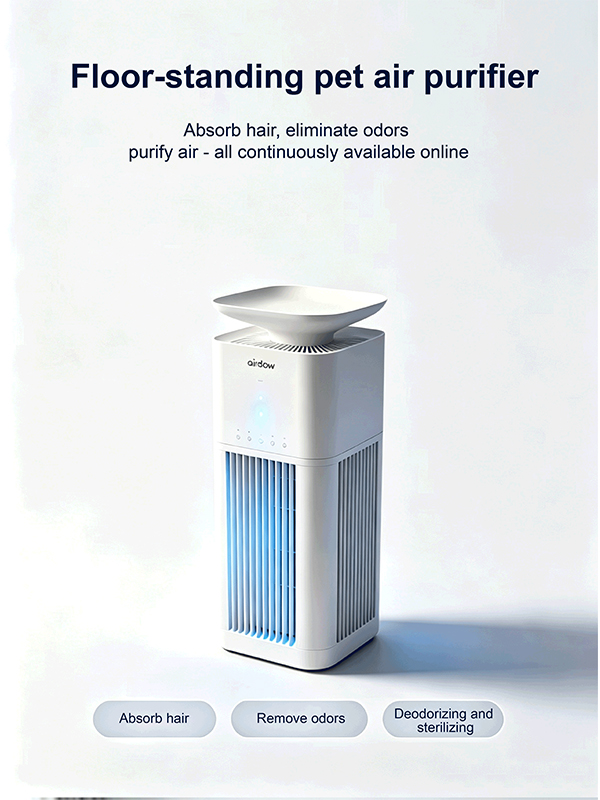
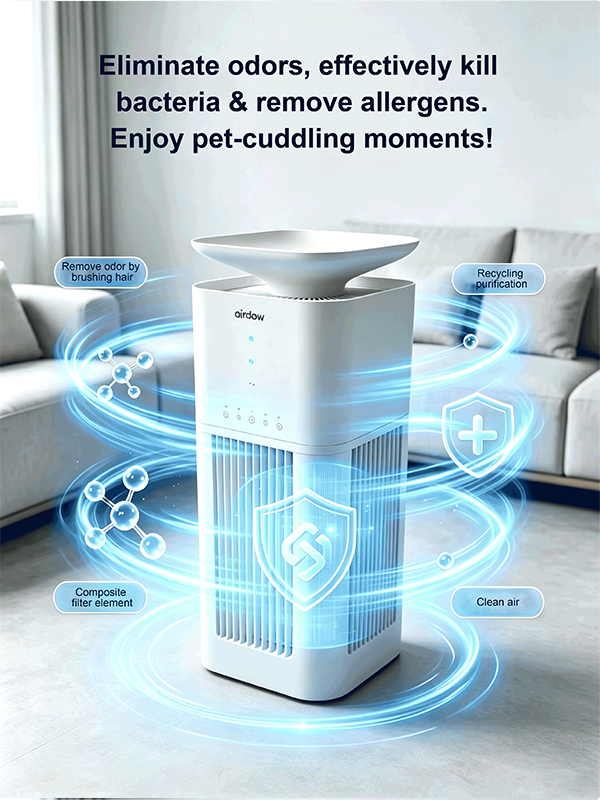
Lub tshuab lim cua rau tsiaj no yog tsim tshwj xeeb rau cov tsev neeg uas muaj tsiaj. Nws daws tau peb qhov teeb meem huab cua uas tshwm sim hauv kev saib xyuas tsiaj hauv tsev: cov plaub hau uas ntab, cov ntxhiab tsw phem, thiab cov kab mob ua xua uas loj hlob ntau. Nws tsim kom muaj ib puag ncig huv si thiab noj qab haus huv rau tib neeg thiab tsiaj.
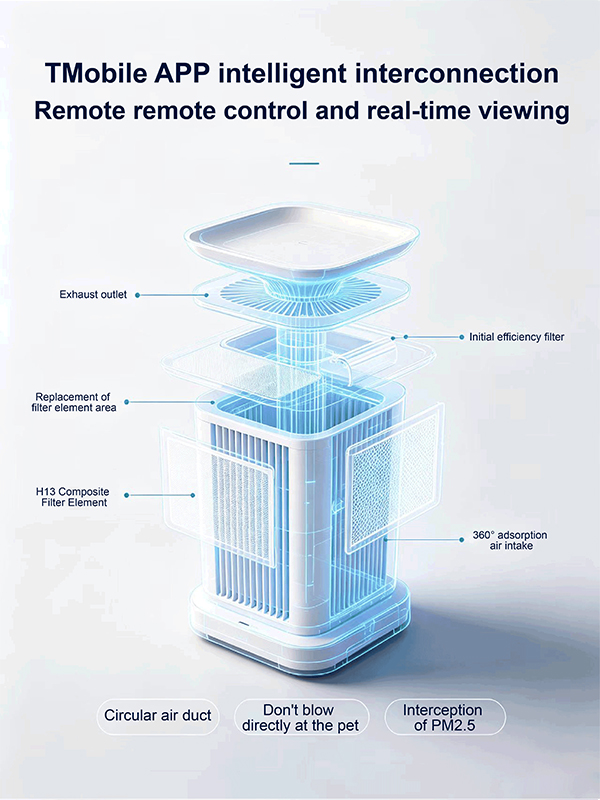
Lub cuab yeej no muaj qhov tsim cua nkag peb-seem puv nkaus, ua ke nrog lub kiv cua turbine ceev ceev. Nws muaj cua ntim zoo thiab kev nqus dej zoo, uas tuaj yeem ntes cov plaub hau tsiaj thiab cov plaub hau hauv chav sai sai, tshem tawm cov teeb meem ntawm cov plaub hau thaiv lub lim thiab cov plua plav thib ob. Nws muaj lub lim dej sib xyaw tshwj xeeb rau tsiaj thiab cov tshuaj deodorizing carbon uas tau hloov kho. Nws ua kom cov ntxhiab tsw tawv ncauj xws li ntxhiab tsw ntawm lub cev tsiaj thiab ntxhiab zis, thaum lim cov kab mob thiab cov khoom ua xua hauv huab cua. Kev ntxuav kom huv si dua.
Lub tshuab ua kom lub suab nrov txo qis zoo tshaj plaws, nrog lub suab qis heev thaum lub sijhawm pw tsaug zog, thiab tsis cuam tshuam rau lwm tus tsiaj thiab tib neeg thoob plaws hnub. Lub cev tau tsim los nrog cov yam ntxwv tiv thaiv kev sib txhuam thiab kev hnav, ua ke nrog lub tshuab tiv thaiv kev ntxeev thiab kev puas tsuaj hluav taws xob. Nws yog qhov tsim nyog rau cov chaw nyob hauv tsev tsiaj, muaj kev nyab xeeb thiab ruaj khov. Nws siv hluav taws xob tsawg thiab txuag hluav taws xob, muaj peev xwm ua haujlwm ntev rau 24 teev, ua kom huab cua hauv tsev huv si, yooj yim daws cov teeb meem huab cua ntawm kev saib xyuas tsiaj, thiab tiv thaiv kev noj qab haus huv ntawm tsev neeg thiab lawv cov tsiaj.
Cov Lus Qhia Txog Kev Siv Tshuab & Cov Khoom Siv
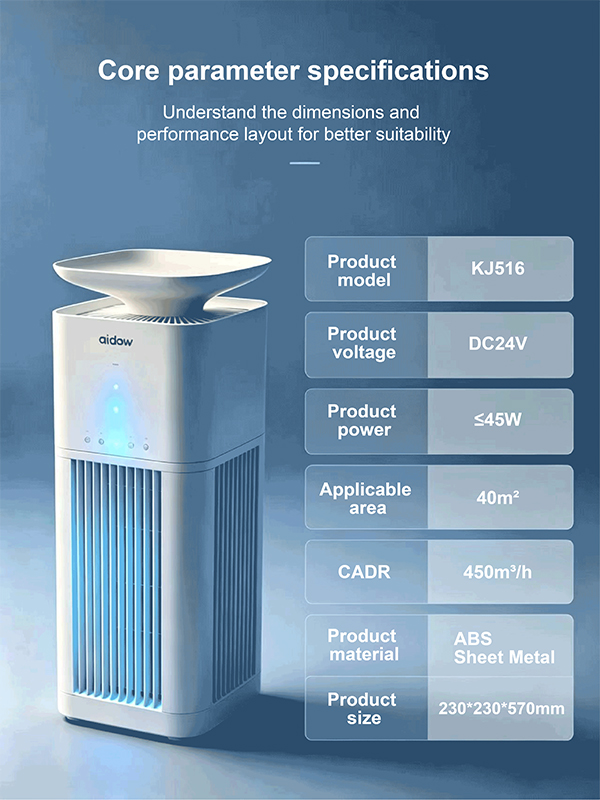
| Lub zog hluav taws xob nkag | DC 24V | Khoom siv | ABS + Ntawv Hlau | Qib Suab Nrov | ≤58 dB |
| Lub zog ntsuas | ≤48W | Xim | Dawb | Kub Ua Haujlwm | 0–45°C |
| Thaj Chaw Pab Them Nqi | 40 m² | Qhov Loj | 230 × 230 × 570 hli (S) | Qhov Hnyav Tag Nrho | 4.5 kg |
| Kev ntws ntawm huab cua | 550 m³/teev | CADR | 450 m³/teev | APP ntse | Tuya APP |
| APP ntse | Tuya Ntse (Xaiv tau) | PM2.5 | PM2.5 Xim Zaub |
Cov Lus Qhia Siv Khoom
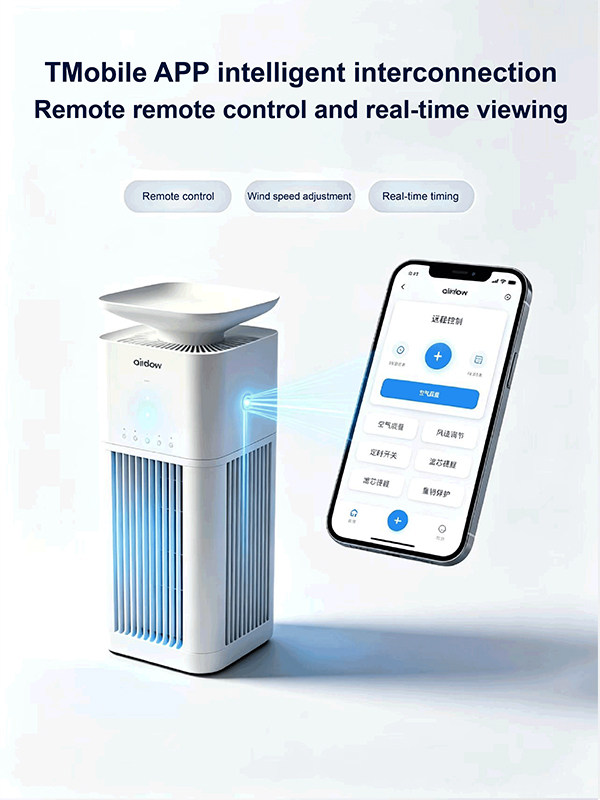
1. Xyuas kom tseeb tias lub tshuab thiab lub xov tooj ntawm tes txuas nrog tib lub WIFI (4G teeb liab). Xyuas kom tseeb tias lub xov tooj ntawm tes tuaj yeem nkag mus rau hauv internet tau zoo thiab lub teeb liab muaj zog (lub tshuab thiab lub xov tooj ntawm tes nyob ze rau lub router, qhov zoo dua).
2. Qhib lub Bluetooth function ntawm lub xov tooj ntawm tes.
3. Rub tawm "Tudao Intelligent" APP rau ntawm lub xov tooj ntawm tes thiab nruab nws.
4. Txuas lub tshuab rau lub hwj chim thiab qhib nws. Lub sijhawm no, lub teeb qhia Wi-Fi ntawm lub tshuab yuav ci ntsa iab.
5. Qhib lub "Tudao Intelligent" APP ntawm lub xov tooj ntawm tes, nyem "Ntxiv Device", nrhiav "Small Household Appliances", xaiv "Air Purifier, WIFI", nkag mus rau qhov configuration interface, sau Wi-Fi password, nyem "Tom ntej", nyem lub teeb qhia txog lub cuab yeej flashing, nyem "Tom ntej", lub xov tooj ntawm tes nkag mus rau hom kev tshawb nrhiav khoom siv tsis siv neeg. Tom qab nrhiav tau lub cuab yeej, ua kom tiav qhov ntxiv. Koj tuaj yeem nyem "Automatic Discovery" ntawm lub xov tooj ntawm tes kom ntxiv lub cuab yeej.
6. Txhua lub tshuab tsuas yog txuas tau rau ib lub xov tooj ntawm tes xwb. Yog tias koj xav txuas lwm lub xov tooj ntawm tes, koj yuav tsum nias lub pob "Power" ntawm lub tshuab ntev li 10 vib nas this kom rov pib dua Wi-Fi, lossis tshem lub cuab yeej ntawm lub xov tooj ntawm tes APP uas twb txuas nrog lawm thiab tom qab ntawd koj tuaj yeem rov txuas lub cuab yeej dua.
7. Kev qhib cov haujlwm tsis zoo ion, UV, thiab lub sijhawm: Hauv lub xov tooj ntawm tes APP interface, nyem "+ Ntau Ntxiv" los xaiv seb puas yuav qhib lossis kaw qhov haujlwm no.
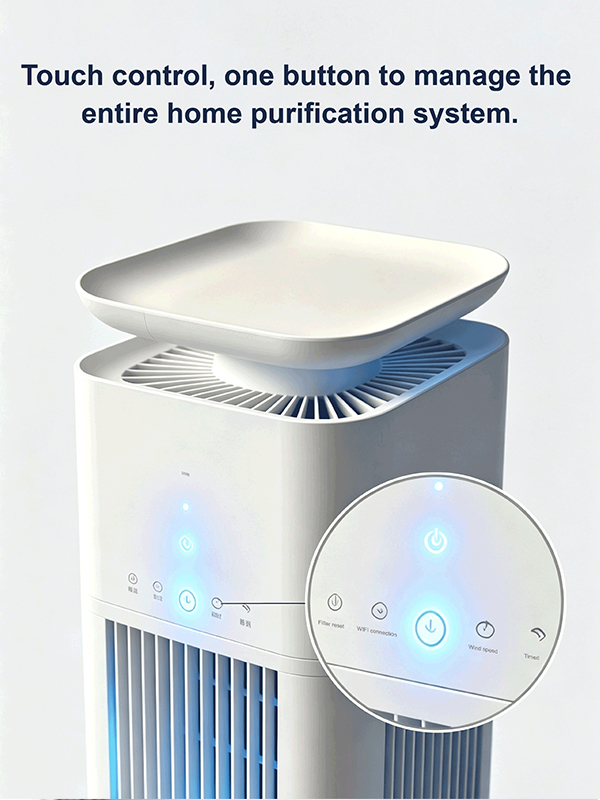
8. Rov pib dua lub sijhawm siv lim: Thaum lub lim tau ua haujlwm tau 180 hnub, lub cim rov pib dua ntawm lub lim yuav ci. Lub sijhawm no, nyem lub pob rov pib dua ntawm lub xov tooj ntawm tes APP kom rov pib dua.
Cov haujlwm ntawm cov khoom
1. Tus qauv tsim khoom muaj 4 hom kev ua haujlwm: hom tsis siv neeg, hom qib qis, hom qib nruab nrab, thiab hom qib siab.
2. Lub sijhawm ua haujlwm muaj kev xaiv ntawm 1 teev, 2 teev, 3 teev, thiab 4 teev.
3. Kev sib txuas nrog lub xov tooj ntse APP tso cai rau kev saib xyuas huab cua zoo tiag tiag.
4. Kev ceeb toom rau kev hloov lim.
5. Thaum lub tshuab ua haujlwm hauv hom tsis siv neeg, qhov ntim cua yuav raug kho raws li qhov zoo ntawm huab cua.
6. Cov khoom muaj lub luag haujlwm tiv thaiv kev ntxeev. Thaum lub tshuab poob, nws cia li tsis ua haujlwm.
Tsis Muaj Khoom
Pawg khoom
-
HEPA Lub Tshuab Lim Huab Cua Txo Cov Kab Mob Bacteria Rau Tsoom Fwv Teb Chaws
-
Chaw Tsim Khoom Siv Huab Cua Tshuab Lim Cua nrog H13...
-
Lub Hoobkas Muab Khoom Siv Cua Ionizer 3 hauv 1 HEPA Lim...
-
Tus Muag Khoom Siv Tshuab Lim Cua UL CARB CE EP...
-
Lub Tshuab Lim Huab Cua nrog HEPA H13 Qib Lim rau Txhua Tus ...
-
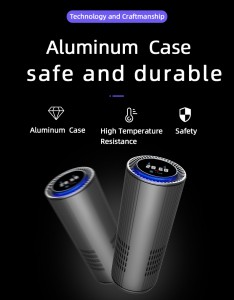
Lub Tshuab Lim Huab Cua Hauv Tsheb Nrog Kev Lim H13 HEPA Tseeb...
-
Lub Tshuab Lim Huab Cua Desktop nrog HEPA Lim Qhib...
-
Lub Tshuab Nqus Pa Hauv Desktop Nrog HEPA Filter Rau Koj Lub Tshuab Nqus Pa ...
-
Desktop HEPA Cua Lim CADR 150m3 / h nrog Chil...
-
Kev Siv Lub Tshuab Lim Huab Cua Dual HEPA Purifications Hauv Tsev
-

Email
-

Sab saum toj

